
❌ World and launch issues
Singleplayer world does not load / cannot be created
Hardware: Check whether your PC meets the minimum system requirements.
Time (Windows 11): This error is often caused by unsynced system time.
- Path:
Settings>Time & language>Date & time. - Scroll down to Additional settings and click Sync now.
- Path:
Virtualization: If the launcher version is 1.4.7 or newer, open settings and enable the Virtualization checkbox.
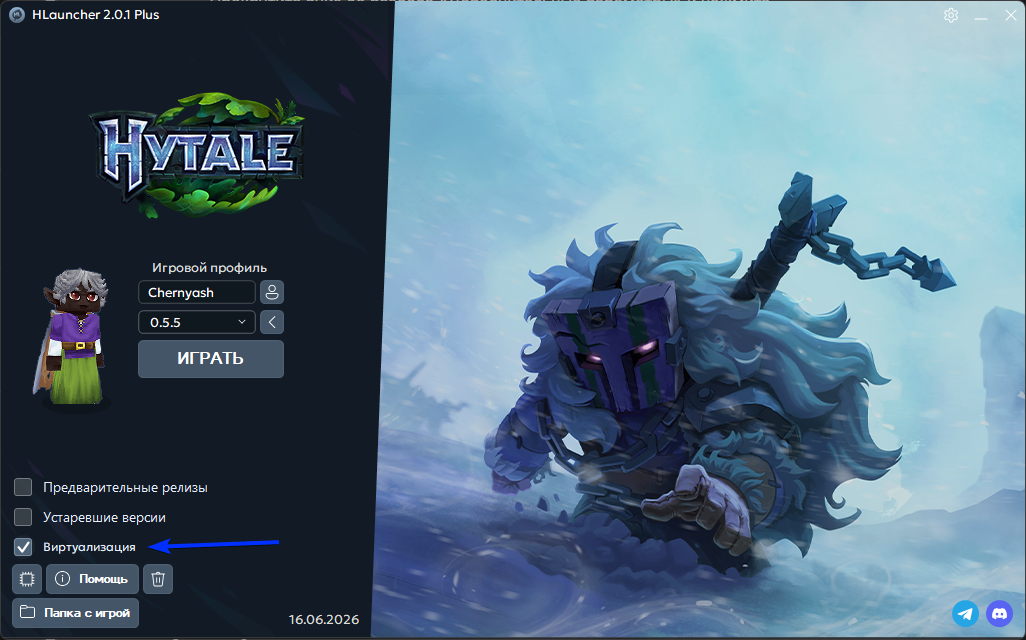
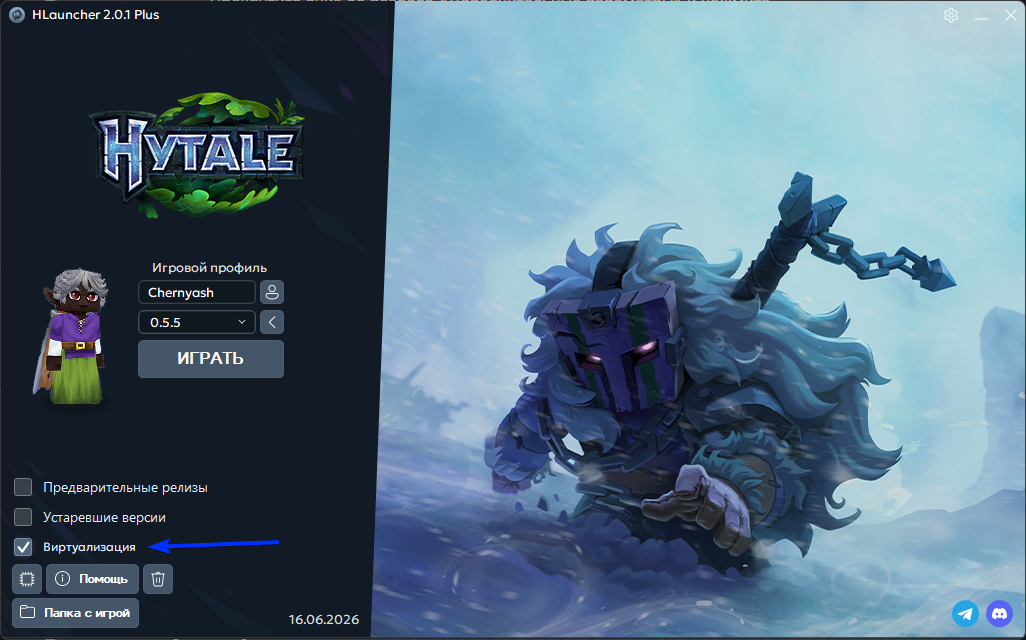
Version bug: If nothing helps, the current game build likely conflicts with your hardware. The only fix is waiting for patches from the developers.
Status shows “Running”, but there is no game window
- Check the system requirements.
- Error code -1073740791: Possible GPU driver crash.
- Fix: Fully update your graphics drivers (NVIDIA/AMD/Intel).
👾 Graphics and visual bugs
Mobs / models are only visible up close
- Cause: A specific engine conflict with AMD GPUs.
- Fix: Update drivers to the latest version. If that does not help, it is a software issue — wait for a fix in Hytale itself.
Error: “Required OpenGL function is not available: glGenQueries”
- Cause: Your GPU is too old, or the driver does not support the required OpenGL functions.
- Fix: Update your drivers. If the GPU is more than 10 years old, the game most likely will not run.
📥 Installation and files
The game will not download / “Request sending error”
- Use any VPN while downloading.
Error: “Failed to parse world config for...”
- Cause: The settings file for a specific world is corrupted.
- Fix: Delete that world’s folder or restore it from a backup.
How do I install the game on another drive?
Use portable mode — the launcher installs the game next to itself.
Right-click the launcher icon and choose Make portable.
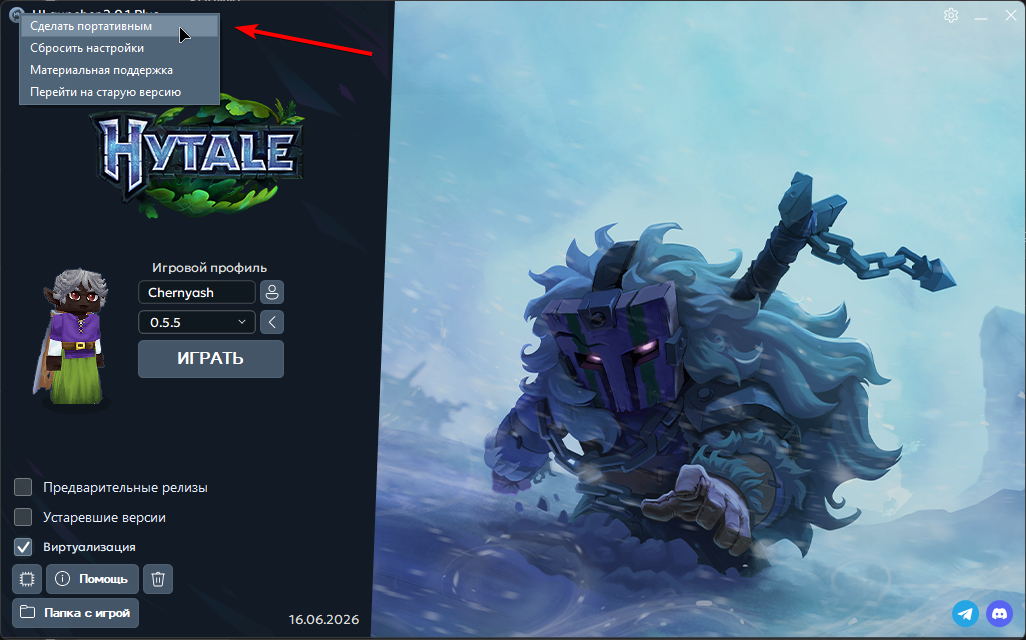
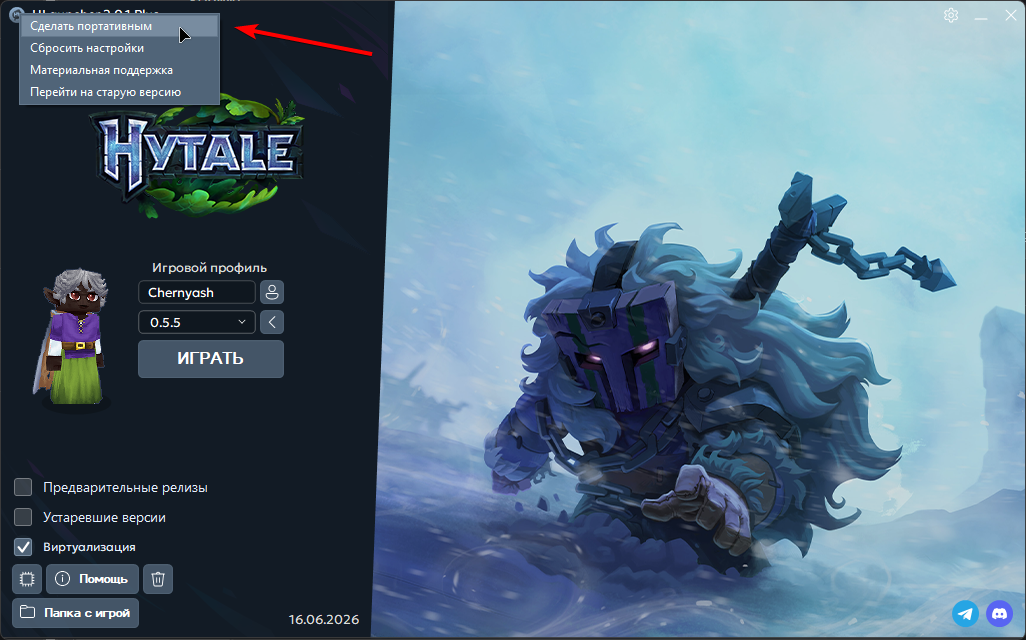
Move the launcher file into a folder on the target drive and run it. All game files will now download into that new folder.
🚀 Performance and network (ping)
High ping in a SINGLEPLAYER world
Hytale starts a background server even for one player. If your PC struggles to run both the client and the server at the same time, network latency appears.
- Fix: Unfortunately, this can only be improved by future game optimization.
High ping in multiplayer (via Radmin VPN)
We cannot influence this, because latency depends on:
- Your internet connection and your friends’ connections.
- Host PC performance: If the person who created the server has a weak CPU, everyone will lag.
- Load on Radmin VPN servers in your region.
TIP
Could not find a solution? Contact support: https://t.me/LauncherHytaleSupportBot