
You can invite friends into a singleplayer world you already created.
- Preparation
- Make sure the Online patch checkbox is enabled in the launcher settings. Without it, network features in a singleplayer world may be unavailable.
- Create a connection through a LAN program (for example: RadminVPN, TailScale, Hamachi, or ZeroTier).
Note: If you have a public IP address and open ports, you can skip creating a virtual network.
- Launch the world
- Enter the game.
- Select the singleplayer world you want and load into it.
- Enable network mode
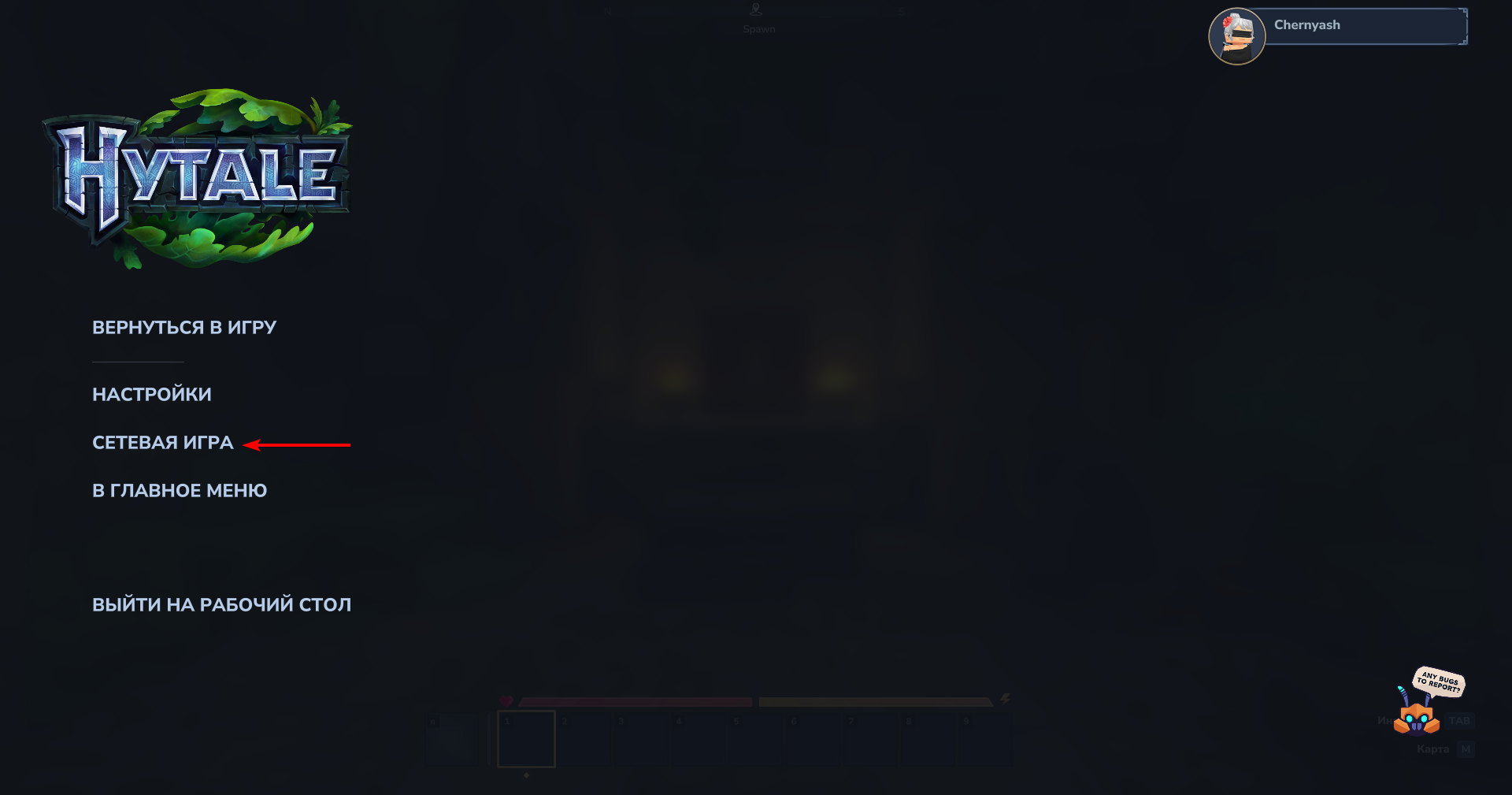
After you spawn in the world, press
Escto open the game menu.Click Online Play.
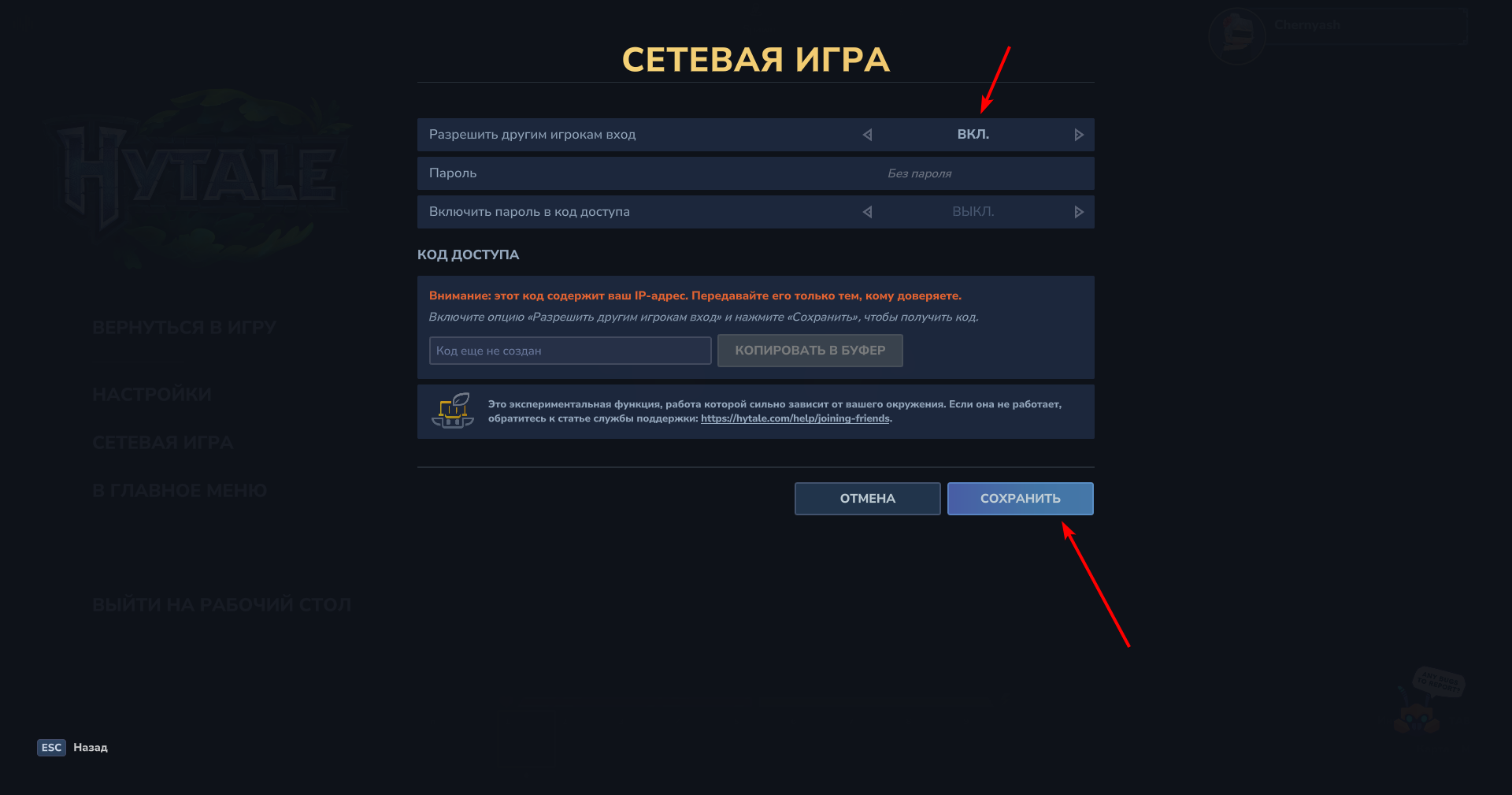
Set Allow other players to join to ON.
Click Save.
- Share the code with your friend
After saving the settings, the game will generate a unique join code.
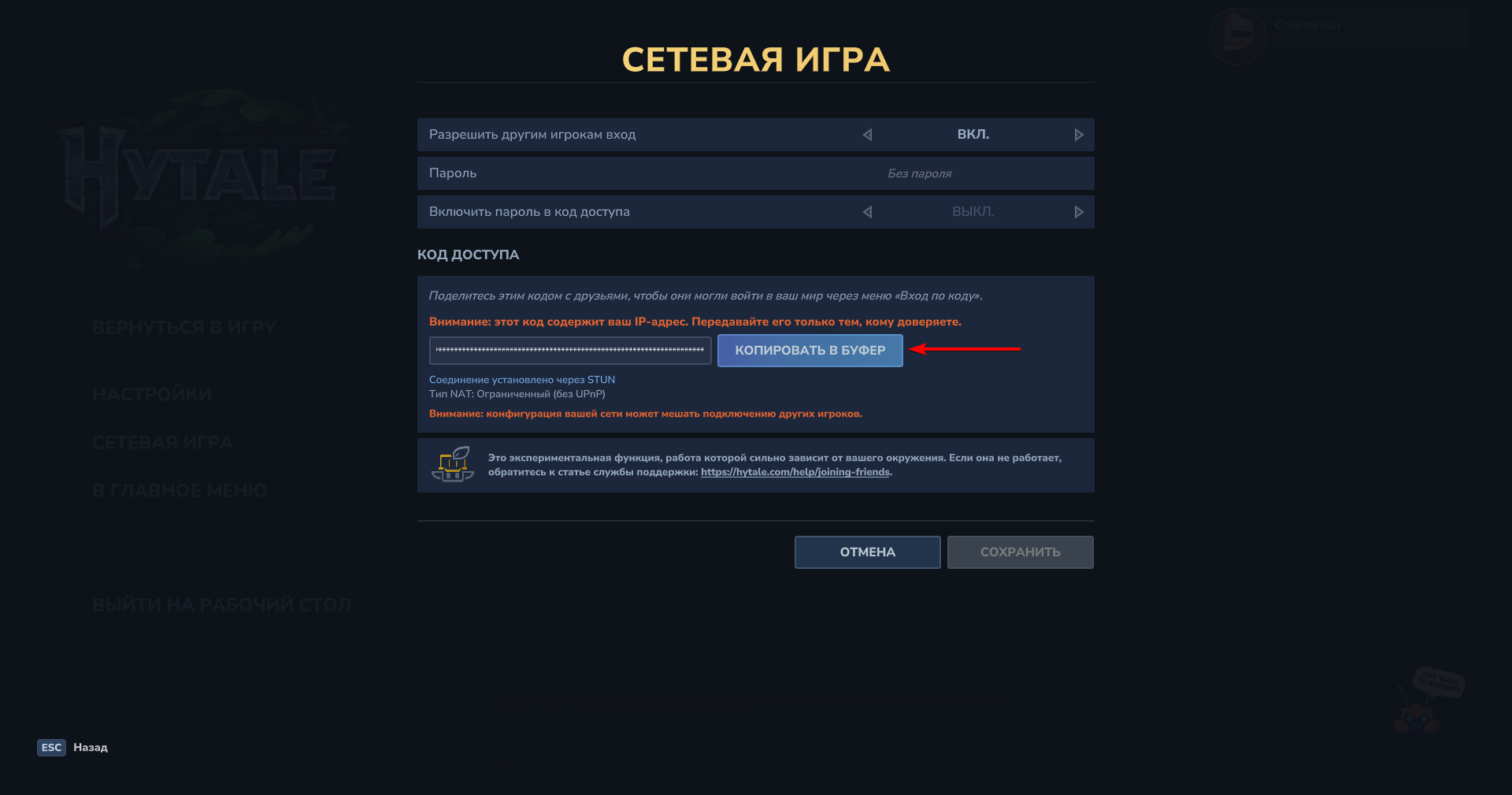
Copy this code and send it to your friend.
- Friend connection
Your friend needs to do the following:
- Launch the game and open the Servers tab.
- Find the Join Via Code field or button.
- Paste the received code and click connect.
WARNING
Host dependency: If you leave your singleplayer world, your friend will be disconnected automatically.
Performance: Because your computer is rendering the game and running the server for your friend at the same time, CPU load will be higher. If the game starts stuttering, try lowering render distance.